

Table of Contents
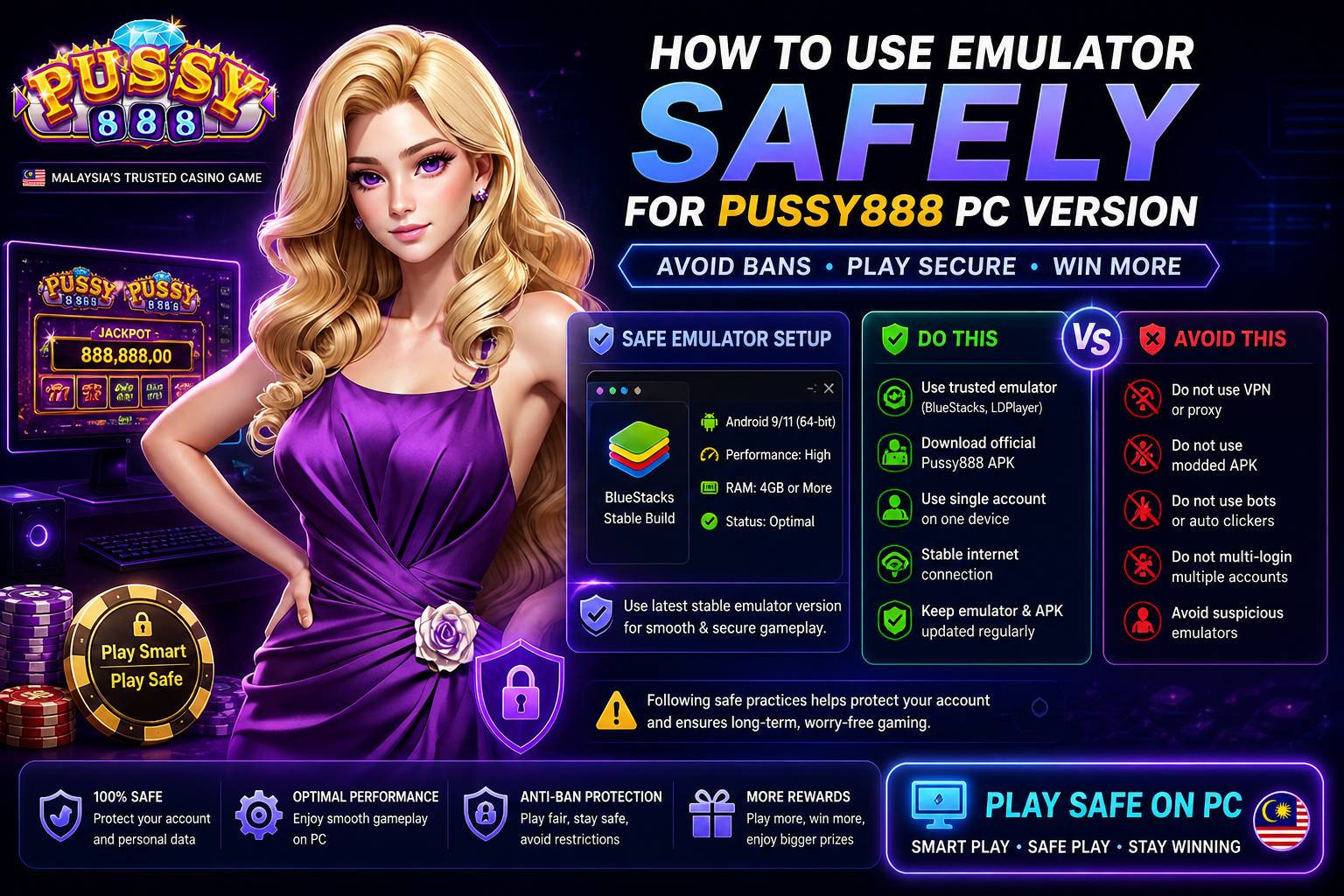
How to Use Emulator Safely for Pussy888 PC Version (Avoid Bans)
Playing Pussy888 on a PC using an emulator has become increasingly popular among players who prefer a larger screen, smoother controls, and extended gaming sessions. While emulators offer convenience and performance advantages, improper setup or unsafe usage can lead to account restrictions or even permanent bans. Understanding how to use an emulator correctly is essential for maintaining account safety while enjoying a stable gaming experience.This guide explains how emulators work, the risks involved, and the safest methods to run Pussy888 on PC without triggering security issues.

Understanding How Emulators Work for Pussy888
An emulator is software that replicates an Android environment on a PC. It allows mobile applications like Pussy888 to run as if they were installed on a smartphone. Popular emulators create a virtual device with its own system settings, storage, and network behavior.When you install Pussy888 through an emulator, the platform detects the environment similarly to a mobile device. However, if the emulator behaves abnormally or violates platform policies, it may raise security flags.This is why proper configuration and responsible usage are critical.
Why Players Use Emulators for Pussy888
Better screen visibility and control
Improved performance on high-end PCs
Longer gameplay sessions without battery limits
Multi-tasking convenience
Stable internet connection through desktop networks
Despite these benefits, using an emulator incorrectly can create risks that do not exist on mobile devices.
Common Risks When Using Emulator for Pussy888
Account Detection and Restrictions
Gaming platforms often monitor unusual activity patterns. If an emulator sends inconsistent device data or suspicious behavior signals, the system may flag the account.
Multiple Account Usage
Running multiple instances of the game simultaneously is one of the fastest ways to trigger a ban. Emulators make this easy, but it is strictly unsafe.
Unverified Emulator Software
Using unknown or modified emulators can expose your account to security vulnerabilities or inject harmful scripts into the system.
IP and Location Mismatch
Frequent changes in IP address or location can look suspicious. This is especially common when using VPNs alongside emulators.
Modified APK Files
Installing altered versions of Pussy888 increases the risk of detection and immediate account suspension.
Choosing a Safe Emulator for Pussy888
Not all emulators are suitable for gaming platforms. Selecting a stable and widely trusted emulator is the first step toward safe usage.
A good emulator should provide:
Stable Android environment
Regular software updates
Compatibility with most APK files
Secure installation process
Low crash rate and smooth performance
Avoid lightweight or unknown emulators that promise shortcuts or built-in hacks, as these often lead to security issues.
Safe Setup Guide for Pussy888 Emulator on PC
Step 1: Install a Trusted Emulator
Download the emulator from its official website only. Avoid third-party sources to reduce the risk of malware or modified software.
Step 2: Configure Basic Settings
Set up the emulator with standard device settings. Avoid unusual configurations such as developer-level modifications or rooted environments.
Step 3: Download Official Pussy888 APK
Always use the original APK file from a reliable source. Do not install modified or cracked versions.
Step 4: Enable Required Permissions
Allow necessary permissions such as storage and network access. Keep settings normal and avoid excessive customization.
Step 5: Set Stable Internet Connection
Use a consistent network. Avoid switching between multiple connections during gameplay.
Step 6: Log in with One Account Only
Do not attempt to log in with multiple accounts or switch accounts frequently.
Best Practices to Avoid Bans While Using Emulator
Keep Usage Natural
Play at a normal pace. Avoid rapid repetitive actions that may look automated.
Avoid Multi-Instance Gaming
Running multiple emulator windows with the same game is highly risky. Stick to a single instance.
Do Not Use Scripts or Bots
Automation tools can be detected easily and lead to instant bans.
Limit Device Changes
Do not frequently change emulator device profiles, as this creates inconsistent data.
Avoid VPN Overuse
While VPNs can protect privacy, frequent location switching increases the chance of detection.
Update Emulator and Game Regularly
Keeping both updated ensures compatibility and reduces security risks.
Clear Cache Occasionally
Clearing cache helps maintain smooth performance and prevents system conflicts.
Signs Your Account May Be at Risk
Unexpected login warnings
Frequent disconnections
Temporary restrictions on gameplay
Delayed game responses
Security verification prompts
If any of these signs appear, stop using the emulator temporarily and review your setup.
Differences Between Mobile and Emulator Gameplay
Mobile devices provide a more stable and predictable environment for Pussy888, while emulators introduce an extra layer of complexity. The platform may monitor emulator usage more closely due to potential abuse risks.
However, when configured correctly, emulators can provide a safe and efficient alternative without compromising account security.
Advantages of Safe Emulator Usage
Enhanced graphics and performance
Better control for extended sessions
Reduced device overheating
Consistent gameplay environment
Improved multitasking capabilities
These benefits are only achievable when safety practices are followed strictly.
Common Mistakes That Lead to Bans
Installing unofficial APK versions
Using automation tools or scripts
Running multiple accounts simultaneously
Switching IP locations frequently
Using rooted or modified emulator environments
Avoiding these mistakes is essential for long-term account safety.
How to Maintain Long-Term Account Security
Stick to one device profile
Use a stable internet connection
Avoid suspicious third-party tools
Monitor account activity regularly
Follow platform guidelines consistently
Consistency is the key factor in maintaining a secure gaming experience.
Future of Emulator Gaming for Pussy888
As gaming technology evolves, platforms are becoming more advanced in detecting irregular behavior. Emulator usage will continue to be allowed, but only under strict conditions that align with fair play policies.
Players who adapt to these requirements will continue to enjoy the benefits of PC gaming without facing restrictions.
Conclusion
Using an emulator for Pussy888 PC version can be safe and rewarding when done correctly. The key lies in maintaining a natural gaming environment, avoiding shortcuts, and respecting platform rules.By choosing a trusted emulator, installing the correct APK, and following responsible gameplay practices, players can enjoy a smooth PC experience without risking account bans.




