

Table of Contents
How to Fix “Cannot Verify App” When Installing Pussy888 on iOS (2025 Complete Guide)
Installing Pussy888 on iOS devices such as iPhone and iPad has become much smoother in recent years, but many Malaysian players still face a common issue during installation: “Cannot Verify App.”This message typically appears when trying to open the Pussy888 app for the first time, and it stops the app from running. Fortunately, this problem is easy to fix once you understand the cause.
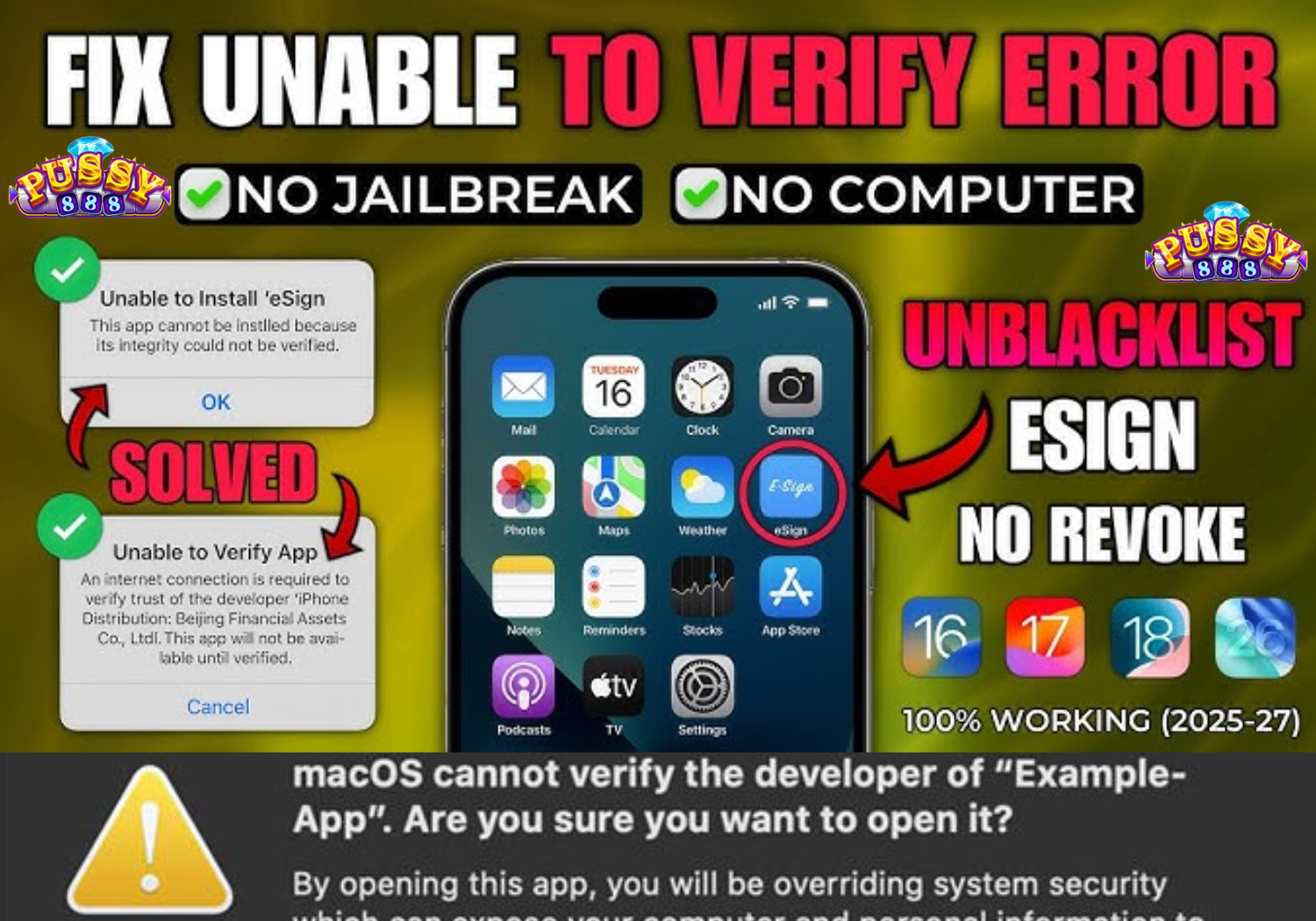
1. Why iOS Shows “Cannot Verify App” When Installing Pussy888
Apple’s iOS system is very strict with third-party apps that are not downloaded from the App Store. Pussy888 uses an enterprise certificate to allow installation outside the App Store, which triggers this verification check.Below are the most common reasons why the “Cannot Verify App” message appears:
1.1 No Internet Connection During Verification
The app must contact the certificate server to verify the installation.
If your internet is unstable, verification fails.
1.2 Apple Revoked the Enterprise Certificate
Apple sometimes revokes old certificates that are outdated or duplicated.
When this happens, the app cannot be verified until a new certificate is issued.
1.3 Using an Outdated iOS Version of the Pussy888 App
If the app is old or corrupted, iOS rejects it due to expired certificate signatures.
1.4 You Haven’t Trusted the Developer Profile Yet
iOS requires you to manually approve the developer before opening the app.
1.5 Weak, Slow, or Blocked Network
Public Wi-Fi, office networks, or restricted hotspots can block the verification server.
1.6 App Installed from an Untrusted Website
Fake or altered installation links may fail verification immediately.
2. How to Fix “Cannot Verify App” on Pussy888 (2025 Working Solutions)
Follow the steps below in order. Each method solves a different root cause, so using them step-by-step ensures the fastest solution.
Solution 1: Connect to a Strong and Stable Internet Connection
iOS must connect to the internet to verify any enterprise app.
Steps:
- Turn off Wi-Fi
- Switch to mobile data
- Try opening the Pussy888 app again
- If still not working, reconnect to Wi-Fi
Extra Tip:
Avoid public or restricted networks such as:
- Hotels
- Cafes
- Universities
- Offices
These networks often block app verification.
Solution 2: Manually Trust the Pussy888 Developer Profile
This is the most important step. Without trusting the profile, the app will never verify.
How to do it:
- Go to Settings
- Tap General
- Tap VPN & Device Management
- Look for the Pussy888 developer certificate
- Tap Trust
- Tap Confirm
Once trusted, reopen the app. If the error persists, continue with the next steps.
Solution 3: Delete and Reinstall the Latest Pussy888 iOS App
If you installed using an old link or outdated version, verification fails.
Steps:
- Delete the Pussy888 app
- Clear Safari history
- Download the latest 2025 iOS version from a trusted source
- Reinstall the app
- Trust developer again
- Open the app with Wi-Fi or mobile data enabled
Important:
Always download the app from official agents or trusted platforms, not random Telegram or Facebook links.
Solution 4: Turn Off VPN, Proxy, or Safe Browsing Tools
VPNs often cause:
- Certificate mismatch
- Region verification errors
- Apple security blocking the connection
Fix:
- Turn off VPN
- Disable proxy settings
- Turn off any security apps like Safe Browsing or Adblock
Then try verifying the app again.
Solution 5: Reset Network Settings
If your phone has DNS or network caching issues, iOS cannot reach the verification server.
To reset the network:
- Go to Settings
- Tap General
- Tap Transfer or Reset iPhone
- Tap Reset
- Choose Reset Network Settings
- Enter passcode
- Restart your device
After resetting, connect to Wi-Fi and try opening Pussy888 again.
Solution 6: Enable “Trust Store” Refresh on iOS
If the app’s certificate is new, your iPhone’s trust store might not have the updated signature yet.
How to refresh it:
- Connect to stable Wi-Fi
- Lock the screen
- Keep the phone idle for 10 minutes
- Do not open apps during this time
This allows iOS to silently update the trust certificate list.
Solution 7: Check for iOS Software Update
Outdated iOS versions sometimes have bugs that prevent third-party apps from verifying.
Update steps:
- Go to Settings
- Tap General
- Tap Software Update
- Update if available
After updating, retry the verification.
Solution 8: Your Agent Needs to Provide a New Certificate Link
If Apple revokes the enterprise certificate used by Pussy888, no amount of troubleshooting will work until the developer issues a fresh certificate.
Signs that this is the problem:
- All players report the same error
- App stopped working suddenly
- Reinstallation does not fix the issue
- Old links redirect to error pages
Fix:
Request the new iOS installation link from your trusted Pussy888 agent.
Install again, trust the new profile, and launch.
3. Why “Cannot Verify App” Happens More Often in 2025
Apple continues improving their security system, resulting in stricter handling of enterprise certificates.
Common 2025 changes include:
- Frequent certificate checks
- Faster revocation for duplicated certificates
- Stronger region checks
- Stricter protection against unauthorized enterprise apps
This means Pussy888 may release new iOS installation links more frequently in 2025.
To avoid future verification problems:
- Always use the latest installation link
- Update when your agent announces a new version
- Avoid saving old links in Safari bookmarks
4. How to Prevent Future Verification Errors on Pussy888 iOS
You can avoid this issue entirely by following these best practices:
✔ Always download from official trusted sources
Avoid random third-party URLs shared in chat groups.
✔ Do not update your iOS during maintenance hours
If verification servers are overloaded, the app cannot verify.
✔ Keep your network stable
If your Wi-Fi disconnects while verifying, the process fails.
✔ Avoid using VPN or secure tunneling apps
Many iOS security blocks are triggered by VPN-based connections.
✔ Keep iOS updated
Newer iOS versions handle certificate updates better.
✔ Reinstall the app monthly
This ensures you always have the latest certificate.
5. Frequently Asked Questions About Pussy888 iOS Verification
Q1: Why does Pussy888 need verification on iOS?
Because it uses an enterprise certificate instead of App Store installation.
Q2: Can I skip the trust process?
No. iOS requires manual trust approval for security reasons.
Q3: Why does my friend’s iPhone verify but mine doesn’t?
Your network might be blocked or outdated.
Q4: Will reinstalling the app delete my game balance?
No. Balance is stored on the server, not your device.
Q5: Why does the verification fail only on Wi-Fi?
Your router may block enterprise servers. Use mobile data instead.
6. Complete Troubleshooting Summary (Quick Checklist)
If you want the fastest solution, follow this sequence:
Step 1: Connect to stable internet
Step 2: Trust the developer certificate
Step 3: Reinstall the latest iOS version
Step 4: Disable VPN or proxy
Step 5: Reset network settings
Step 6: Update iOS
Step 7: Request a new installation link from your agent
Following these steps solves 99% of Pussy888 iOS verification issues.




